

Account access
Find out how to login
Your login URL consists of firm name (or abbreviation) followed by .auditassistant.com
Access
Access to the unique homepage/welcome page for each firm is from a URL chosen on signup*:
- This consists of firm name (or abbreviation) followed by .auditassistant.com
- Each firm has an account owner (usually the person signing up for the account)
- This person chooses the URL and their own username and password
- They then set up further users, allocating them with a temporary password that they may then reset themselves
- In the example below the firm Demo and Associates has a shortened URL https://demo.auditassistant.com
To log in, type the firm URL into browser – this will return a screen as follows:
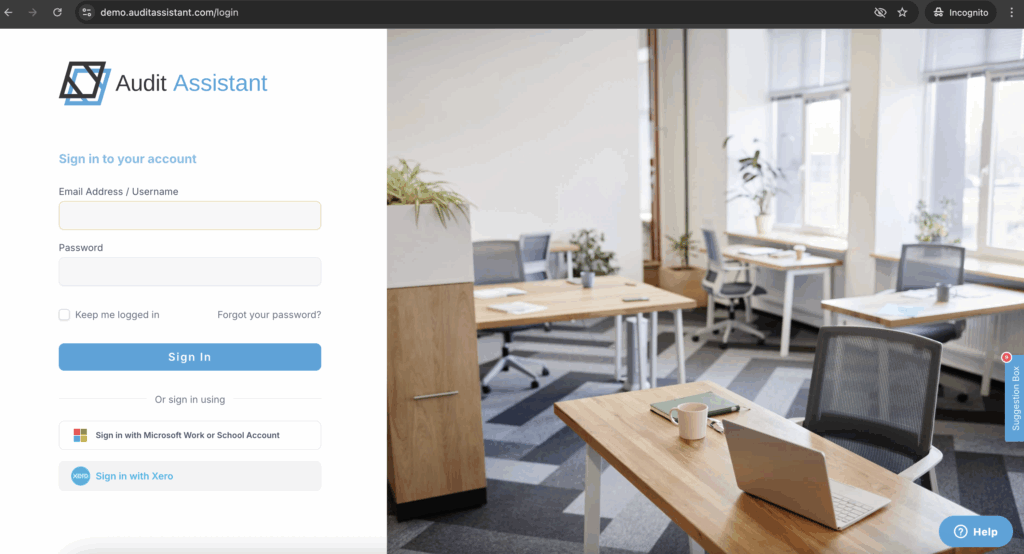
- Enter username and password then click sign in or enter to access the homepage
- Each user should have their own unique login and password (see users)
- Multiple instances may be open at once say on dual screens, or on more than one computer at a time (different jobs and/or even different parts of the same job)
- May copy and paste comments or attachments between jobs or pages within jobs and drag and drop text or attachments to duplicate to new location or create cross references
- Any number of users may work on the same job at the same time as all data is updated in real-time and tagged with the user name and date of entry
*The initial URL may be updated if required – contact Audit Assistant to do this. The firm name may be amended without changing the URL if preferred – this may be done by the account owner from the Account and Billing tab.